¶ Trouble signing in?
Every Parodia service (Matrix, the wiki, Lemmy, Miniflux, Akkoma and the rest) signs you in through one shared login page at auth.parodia.dev. If you can get through that page, you can get into everything. This guide covers the problems people hit most often, starting with the most common one.
Quick fix for most problems: close every Parodia tab, open one browser window, go to auth.parodia.dev and sign in there first. Then go back to the app you wanted.
¶ 1. "I don't have a password" (or my password doesn't work)
Many accounts were moved over from our old setup, or were created by an admin, and never had a password set. There is nothing to "remember": you need to create one using the Forgot username or password? link. It only takes a minute.
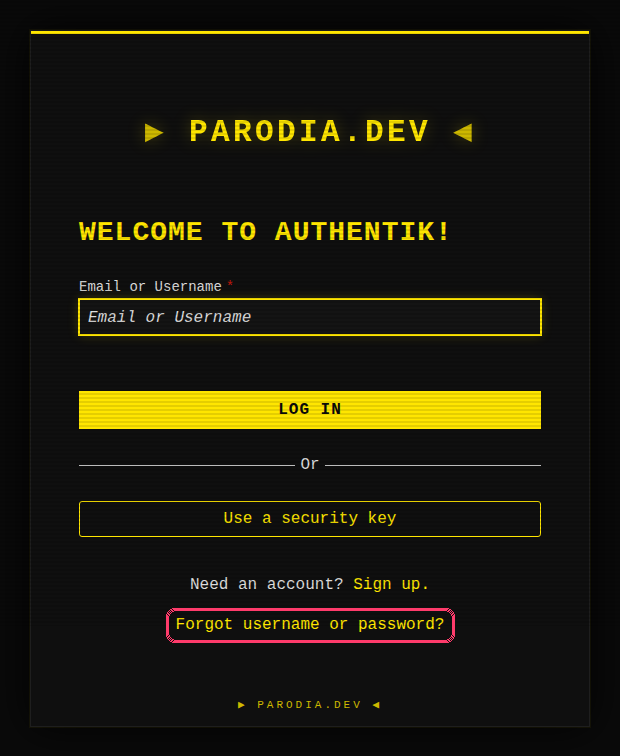
Step 1. Go to auth.parodia.dev and click Forgot username or password? at the bottom of the box.
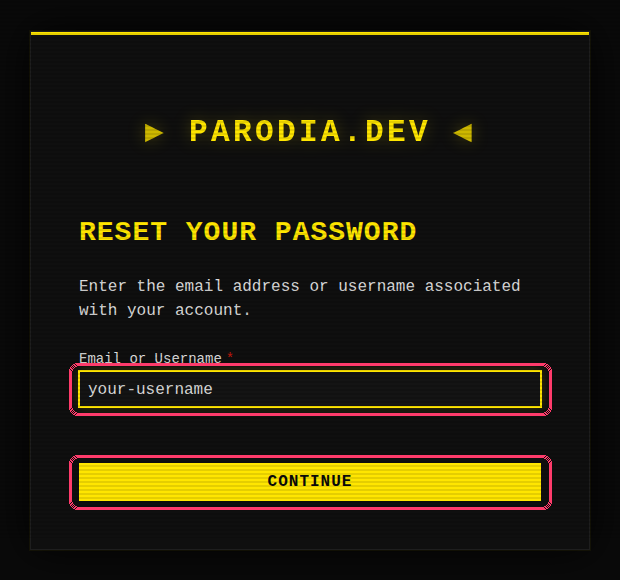
Step 2. Type your username or email address and press Continue.
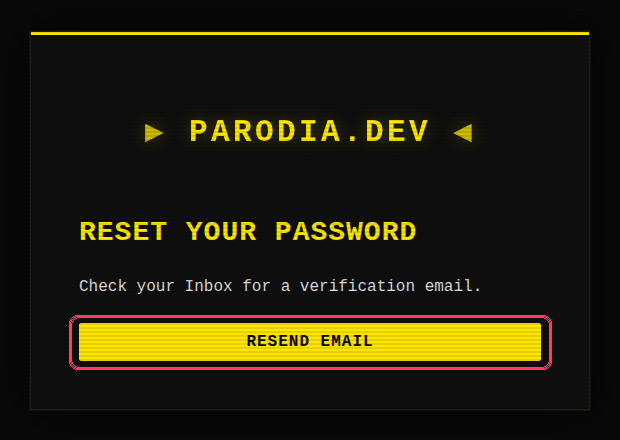
Step 3. You'll see "Check your Inbox for a verification email." Look for an email titled Reset your Parodia password.
- The link in that email expires after 30 minutes. If it has expired, start again from Step 1.
- Nothing after a few minutes? Check your spam / junk folder, then press Resend email.
- You will see this "check your inbox" message even if the name you typed doesn't match an account (that's deliberate, so strangers can't probe for usernames). If no email ever arrives, see section 4.
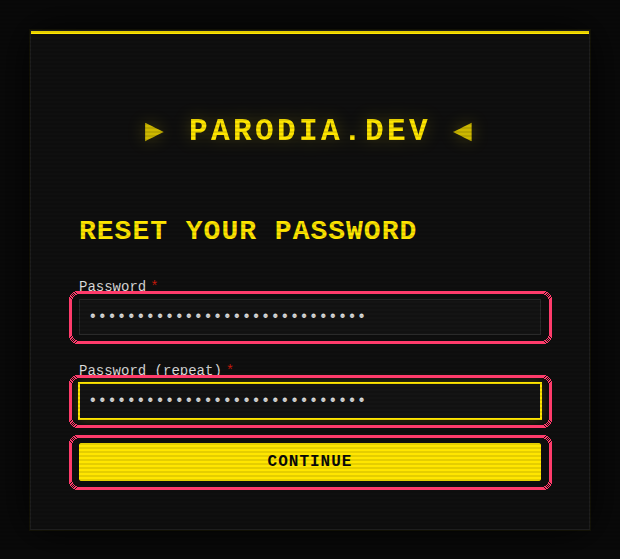
Step 4. Click the link in the email. Choose a new password, type it a second time in Password (repeat), and press Continue. Use something long that you don't use anywhere else; a password manager makes this painless.
Step 5. That's it: you're now signed in and land on your Parodia dashboard. Next time, enter your username, then your new password. The first time you do, you'll also be asked to set up two-factor (see section 5).
Open the email link in the same browser you started in. See section 2 for why this matters.
¶ 2. "Unexpected error / Missing session cookie" (Matrix)
This one looks scary but your account is fine, and if you were resetting your password the reset worked.
It happens when a sign-in starts in one browser and finishes in another. The usual cause: you started logging into Matrix in Chrome (or in the Element app), clicked Forgot password, and the reset email opened in your computer's or phone's default browser (Safari, Firefox, etc.). The Matrix login page in the second browser has no idea about the login you started in the first one, so it gives up.
Fix: go back to the browser/app you started in and log in again from the beginning with your new password. Don't reuse the old tab or link.
To avoid it: copy the reset link from the email and paste it into the same browser you started in, or do your password reset directly at auth.parodia.dev before you open Matrix.
¶ 3. Signing in to Matrix (Element, Cinny, Element X)
Matrix no longer has its own password. When your Matrix app asks you to log in, it sends you to the same Parodia login page as everything else.
- Your homeserver is
parodia.dev. - Choose Continue with SSO (or Continue, depending on the app). Don't look for a username/password form inside the app: there isn't one any more.
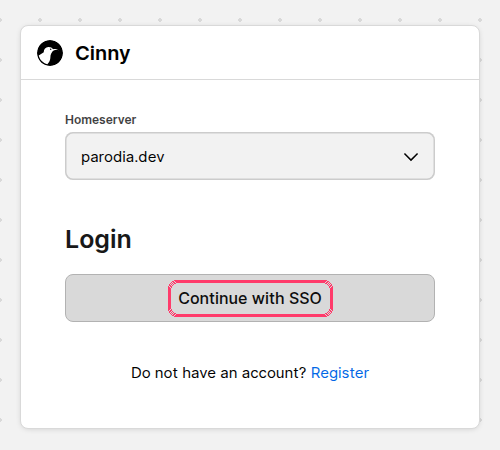
You'll land on the Parodia login page, which says "Log in to continue to Matrix." Sign in there and you'll be sent back to your app.
Using Element Desktop and nothing happens when you click Continue? Element Desktop has had a bug where it never opens the browser for this kind of sign-in. Use Cinny, Element in a web browser (app.element.io), or Element X on your phone instead.
Already-signed-in devices keep working; you only go through this when adding a new device or after signing out.
¶ 4. The reset email never arrives
- Check spam / junk / promotions, and search your mail for "Reset your Parodia password".
- Try typing your username instead of your email (or vice versa).
- Still nothing? Your account may not have an email address on file. Several older accounts don't, and without one we can't send a reset link. Message an admin on Matrix (or ask a friend to pass it on) and we'll add your email for you.
¶ 5. Two-factor: passkey or authenticator app
After your password, Parodia asks for a second check. If you've never set one up, you'll be asked to choose one the first time you sign in:
- Passkey: uses your phone's or computer's fingerprint, face or PIN unlock. Quickest option, and nothing to type.
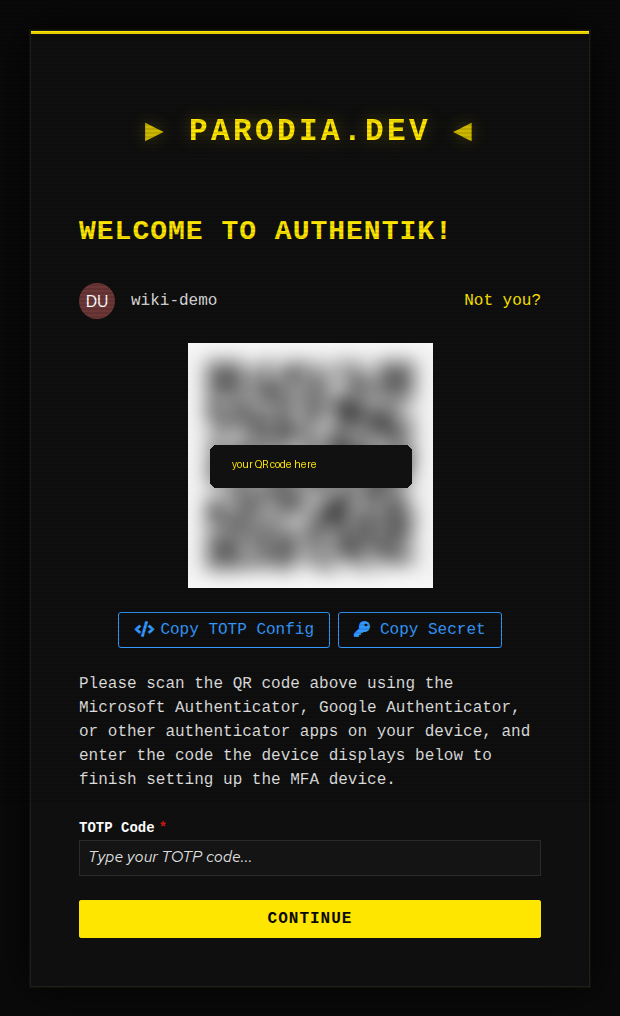
- Authenticator app (TOTP): a 6-digit code from an app such as Aegis, 2FAS, Google Authenticator, Ente Auth or your password manager. Scan the QR code shown on screen, then type in the code.
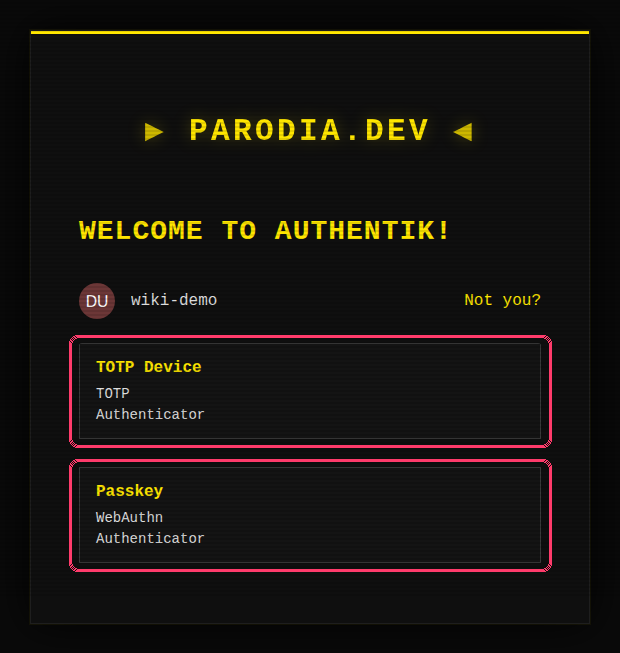
If you pick TOTP Device, you'll see a QR code. Open your authenticator app, add a new account, scan the code, then type the 6-digit number the app shows into TOTP Code and press Continue. (On a phone, where you can't scan your own screen, use Copy Secret and paste it into your app instead.)
Tips:
- Get backup codes. If you're shown backup codes, save them somewhere safe. If not, you can create them any time from your account settings at auth.parodia.dev under MFA Devices. They're how you get back in if you lose your phone.
- If your 6-digit code is always rejected, your phone's clock is probably off. Turn on automatic date & time and try again.
- Lost your phone and your backup codes? Ask an admin to reset your two-factor.
¶ Signing in with a passkey
Once you've set up a passkey, you can skip the password entirely: click Use a security key on the login page and confirm with your fingerprint, face or PIN. Your browser may also offer your passkey as soon as you click the username box.
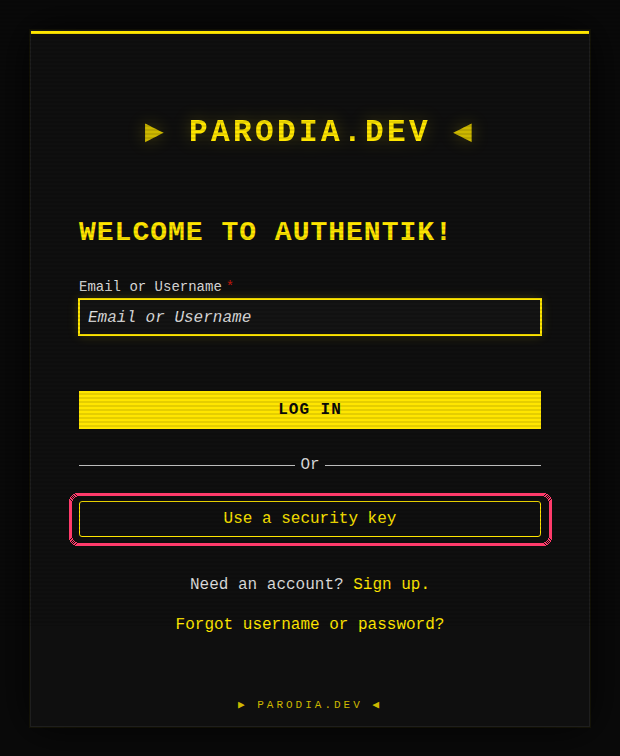
Passkeys only work on auth.parodia.dev itself. If a page on any other address asks for your Parodia passkey, don't use it.
¶ 6. Other things that trip people up
The login page skipped my username and went straight to the password box. Parodia remembers who signed in last. If that isn't you (shared computer, second account), click Not you? to start over.
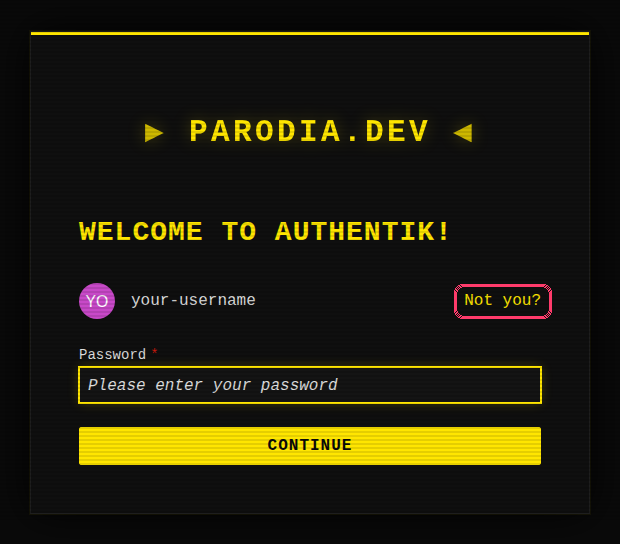
"Too many failed attempts" / I got bounced back to the start. After 5 wrong passwords the login starts over. Don't keep guessing: use the Forgot username or password? steps in section 1.
I forgot my username. Type your email address instead; the login and reset pages accept either.
It keeps looping back to the login page. Your browser is probably blocking cookies for parodia.dev, or a privacy extension is interfering. Allow cookies for parodia.dev, or try a normal (not private/incognito) window with extensions turned off.
How long do I stay signed in? Up to 90 days on the same browser, so you shouldn't be asked often. Clearing your cookies or switching browsers signs you out.
I want an account. New accounts are by invitation; ask an existing member or an admin.
¶ Still stuck?
Message an admin on Matrix and tell us which app you were signing into, what you clicked, and the exact error message (a screenshot is perfect). Never send us your password; we will never ask for it.